
About the App
App Preview & Screenshots
Description
SupSup is a pill reminder and supplement tracker in one app. Scan a Supplement Facts label, get a vitamin reminder at the right time and see every vitamin and mineral added up across your whole stack.
Vitamin D in your multivitamin, more in a separate capsule, zinc in two different bottles. Once you take four or five products, nobody knows the real daily total. And a notes app won't nudge you to take any of them.
REMINDERS BUILT FOR YOUR DAY
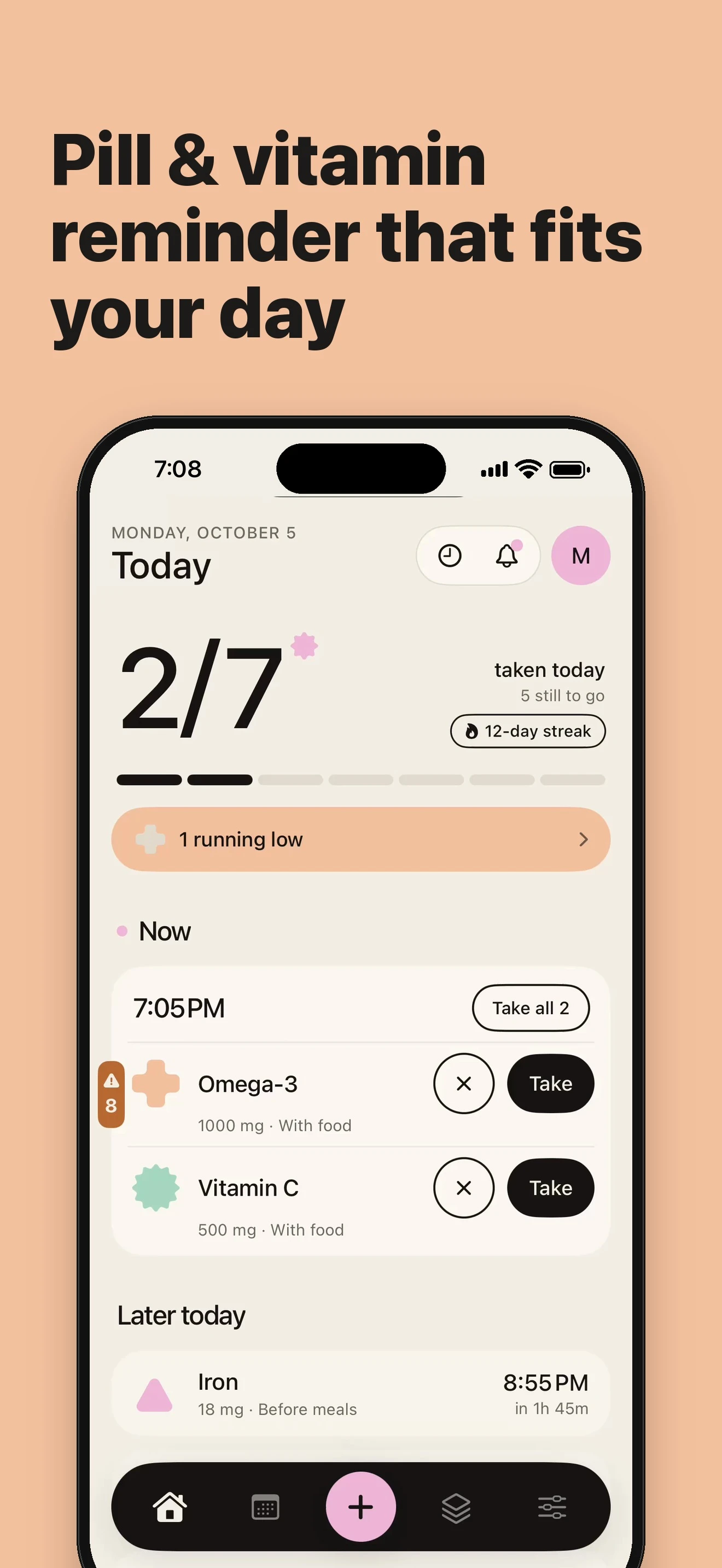
- Custom schedules: one or several times a day, on chosen days of the week, or every 2 or 3 days
- Different amounts at different times: 2 capsules with breakfast, 3 before bed
- Tied to your meals: "With breakfast", "before bed", "after meals"
- Interactive notifications: tap "Take" or "Skip" right from your notification, with gentle follow-up snoozes if missed
- Critical alarms: mark essential supplements for a loud alarm that rings even when your phone is on silent
- One-tap batch logging: everything due at 8:00 is grouped together, so your morning routine takes a second
YOUR STACK IN NUMBERS
- Label scanner: point your camera at the Supplement Facts label and the ingredients fill in automatically
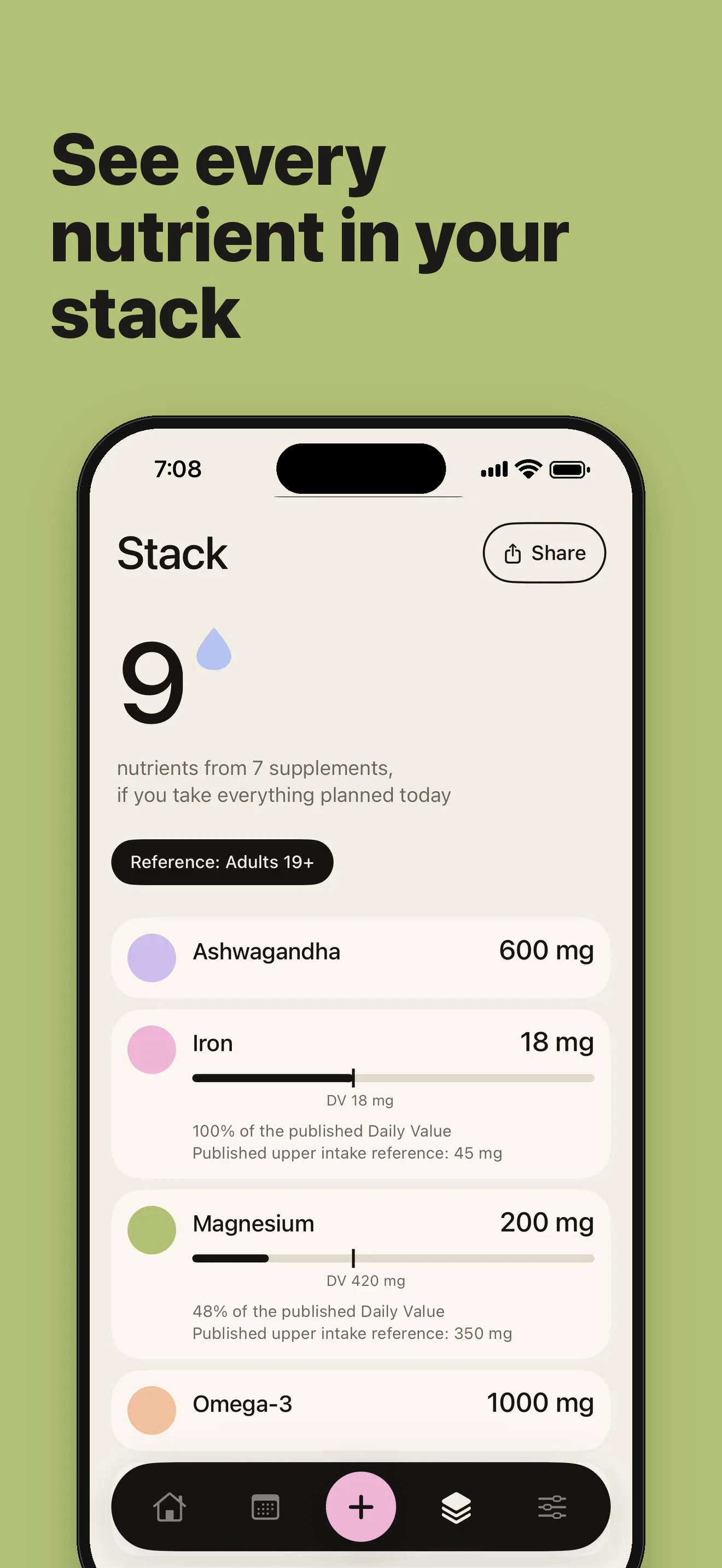
- Nutrient totals: Vitamin D, magnesium, zinc, iron and other nutrients are added up across every bottle in your stack
- Reference daily values: see published daily values and safe upper limits right next to your totals
- Sourced combination facts: learn which supplements are best taken apart (like calcium and iron), with cited sources
SMART TOOLS
- Today view: all your supplements lined up by time. If two doses are scheduled too close together, SupSup offers to reschedule in one tap
- Duplicate nutrient finder: see which vitamins and minerals are coming from multiple bottles
- Travel planner: enter your trip dates to calculate exactly how many capsules to pack
- Monthly and daily stack cost calculation
- Course templates: 8-week course with 2-week break, 12-week cycles, winter vitamin D protocol
COURSES & SUPPLY TRACKING
- Intake courses with day counter: "Day 12 of 56", with automatic break reminders
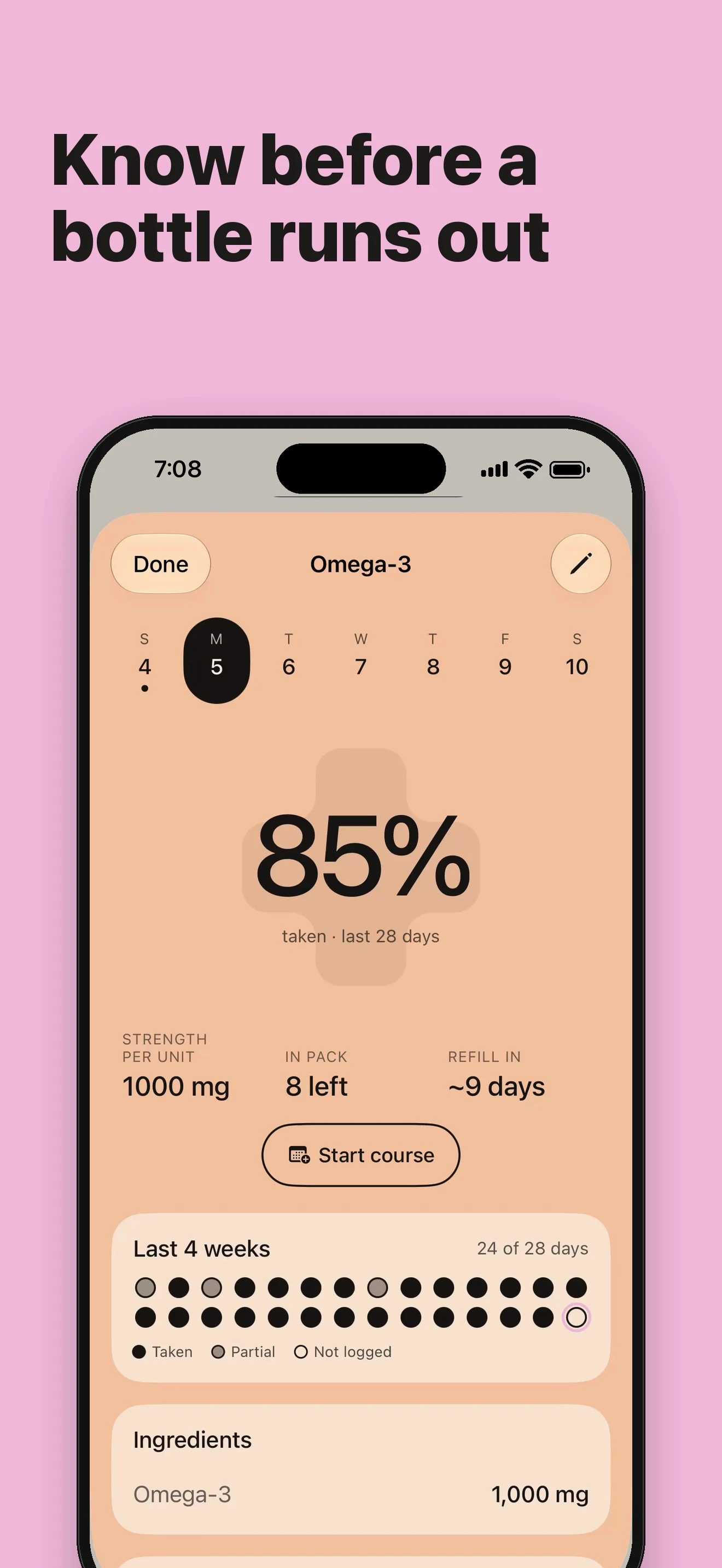
- Refill alerts: counts down with every dose and sends a reminder before a bottle runs out
- Daily wellbeing check-ins: track energy, sleep quality, and mood before and after starting a course
HISTORY & HABITS
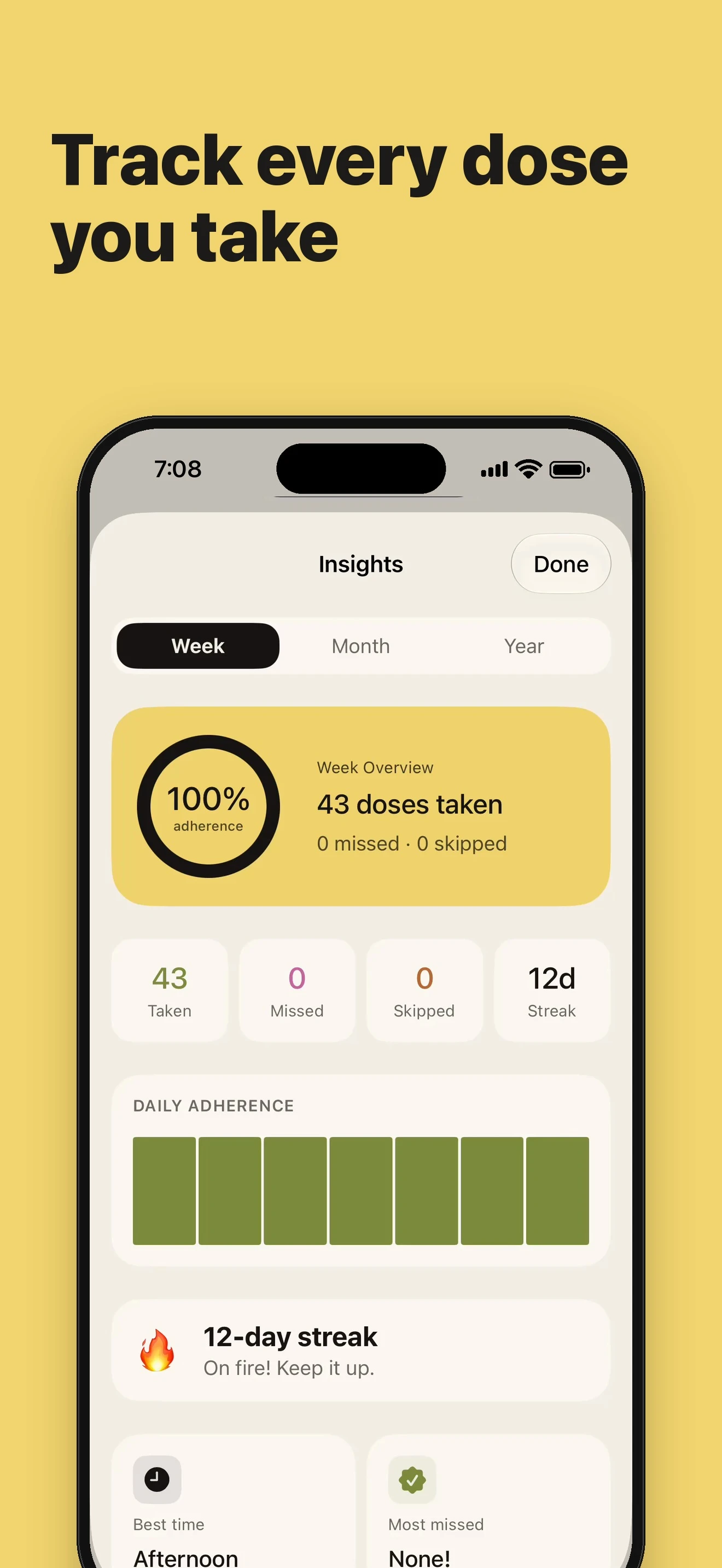
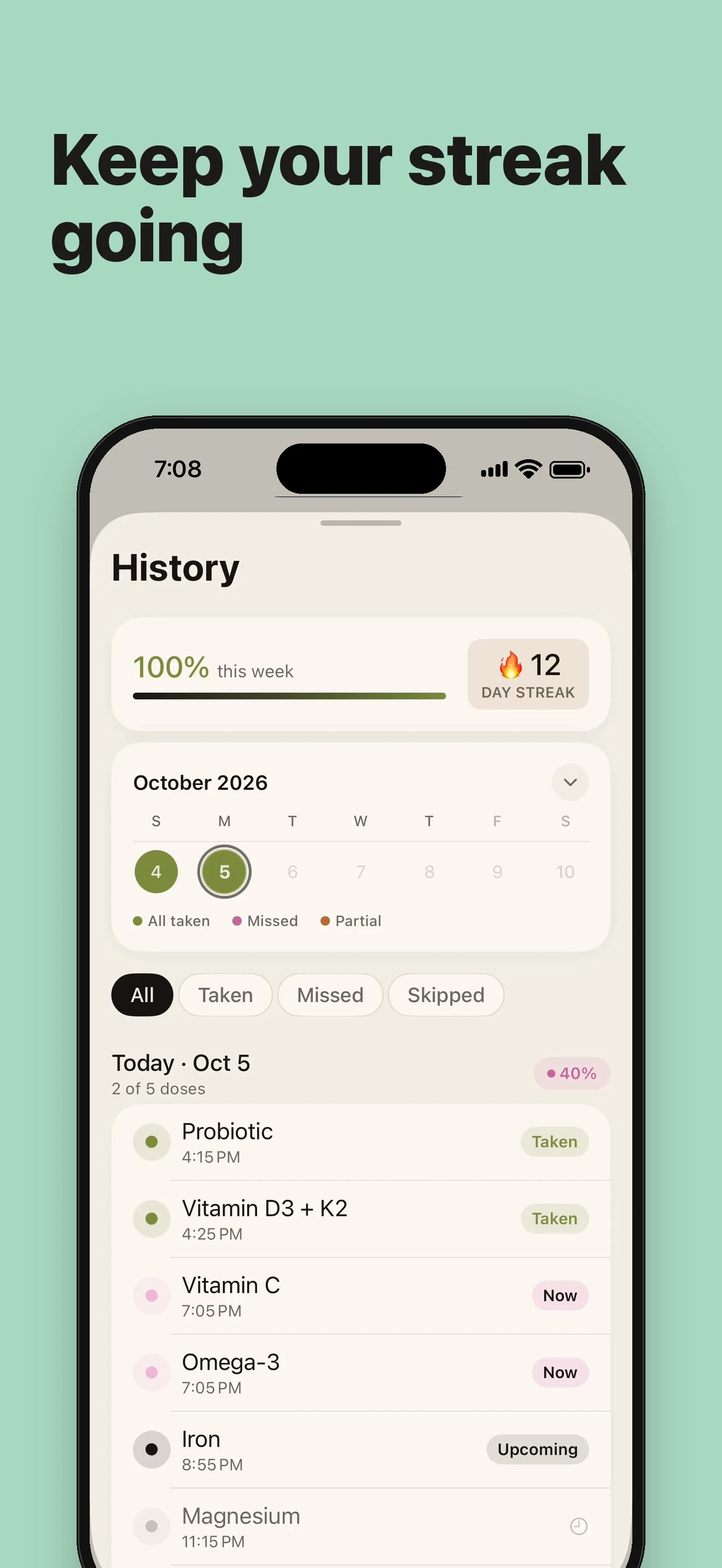
- Intake calendar: see all taken, skipped, and missed doses at a glance
- Consistency streaks: daily streak count, weekly adherence percentage, and milestones
- Home screen widgets: today's progress and upcoming doses on your home screen
FOR THE WHOLE FAMILY
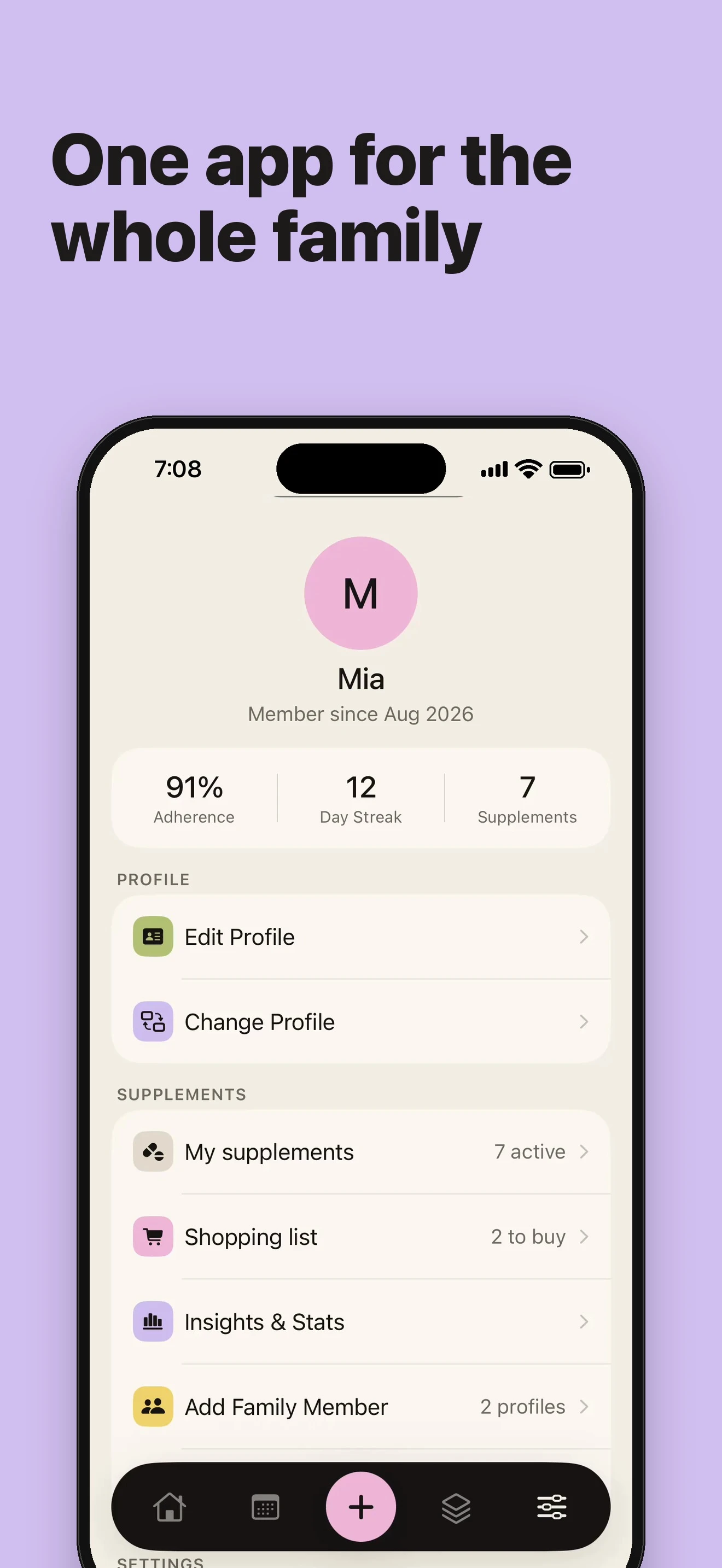
- Multiple profiles: manage vitamins and medications for a partner, parents, or kids on a single phone
- 100% private: no sign-up or account required; all data stays safely on your device with optional Android backup
QUICK ANSWERS
How do I remember to take my daily vitamins?
Add your bottle once and choose a time. SupSup sends a reminder and a follow-up snooze if you haven't marked it taken.
Can I use it for prescription medications?
Yes. Add any pills, tablets, or drops with custom doses and times, and every dose is tracked in your intake calendar.
Can I check supplement interactions?
The app provides sourced combination facts, highlighting ingredients that compete for absorption and duplicate nutrients in your stack.
Will it tell me when a bottle runs low?
Enter how many are in the bottle. The app counts down with every dose and sends a refill alert before you run out.
WHAT PEOPLE USE SUPSUP FOR
- A daily vitamin tracker for D3, magnesium, omega-3, and iron
- A pill tracker for the whole family on one phone
- A medicine reminder with loud alarms for essential doses
- Course planning with breaks: collagen, creatine, winter D3
HOW IT WORKS
1. Add a supplement: scan the label or type the name and dose.
2. Pick the times, the days and how many to take each time.
3. Tap Take right from the notification when it's time.
FREE AND PRO
Track up to 3 supplements free with every feature: label scan, nutrient totals, reminders, courses and supply counts. SupSup Pro removes the limit. Pro is an optional subscription; prices are shown in the app.
The app is not a medical device and does not give medical advice. Nutrient totals, reference values and combination facts are general information. Talk to a healthcare professional before starting, stopping or combining supplements or medicines.
Key Features
- Smart Pill & Vitamin Reminders — Custom schedules, meal tags, follow-up snoozes, and loud safety alarms.
- Supplement Facts Label Scanner — Point your camera at any label to extract ingredients and dosages automatically.
- Total Stack Nutrient Calculator — Total up Vitamin D, Magnesium, Zinc, and Iron across all bottles against reference values.
- Supply & Low-Bottle Alerts — Live countdown of capsules and tablets with timely alerts before you run out.
- Courses, Pauses & Tapering — Schedule 8-week or custom cycles with break reminders and wellbeing check-ins.
- Family Profiles & 100% Privacy — Multiple profiles on one phone; zero tracking, no account required, completely private.
What's New
- Introducing SupSup in Google Play: smart vitamin tracker and pill reminder
- Supplement Facts label camera scanner with automatic nutrient extraction
- Daily stack nutrient totals with published reference daily values
- Smart refill tracking with advance low-stock alerts before bottles run empty
- Course cycles with breaks, family profiles, and home screen widgets
Official Resources & Links
- Google Play:SupSup on Google Play Store
- Apple App Store: Coming Soon
Frequently Asked Questions


Guides & Tutorials for SupSup
View all 6 guidesThe Accidental Overdose Risk: How Multivitamins + Single Supplements Lead to Toxic Micronutrient Totals
Supplement Facts OCR Scanner: How Computer Vision Automates Nutrient Tracking & Safety Checks
Managing Family Vitamins & Medications on a Single Phone with 100% On-Device Privacy
The Refill Problem: How to Track Bottle Capsule Counts & Expirations Before Running Out
Privacy & Terms of Service
FlashSoft ensures end-to-end data security and compliance for SupSup.